Aaj ke time mein AI Photo Editing ka trend kaafi fast grow kar raha hai. Ab photo ko edit karne ke liye complicated software ya professional editing skills ki zarurat nahi padti. Aap sirf apni ek normal photo upload karke ek achha ChatGPT Photo Prompt use kar sakte hain aur photo ko completely different style mein transform kar sakte hain.
Sabse interesting baat ye hai ki aap ek hi photo ko alag-alag environments, outfits, lighting aur photography styles mein create kar sakte hain.
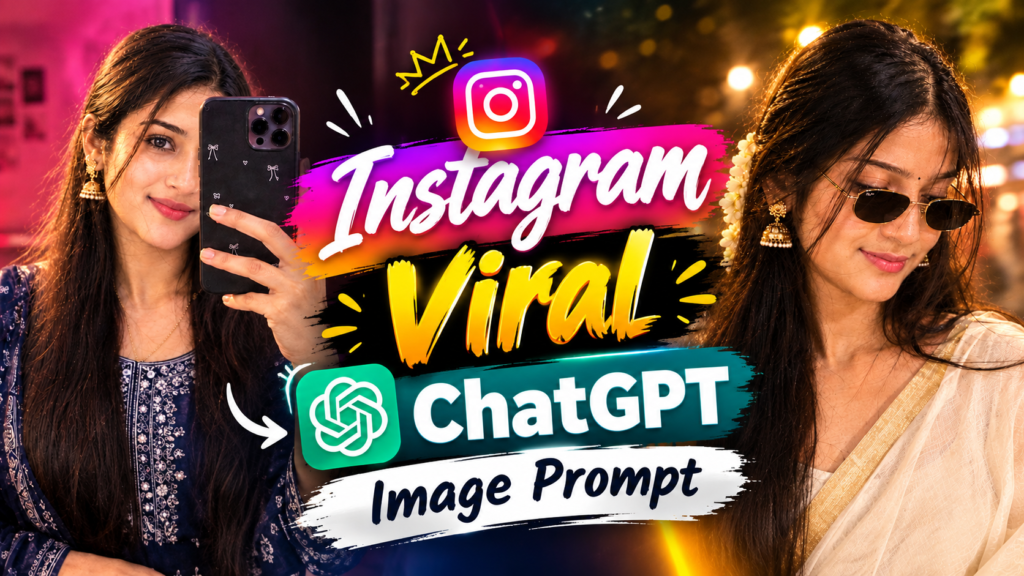
Is article mein hum kuch Trending AI Photo Prompts 2026 share kar rahe hain, jinki help se aap apni photo ko realistic aur professional look de sakte hain.
Trending ChatGPT Photo Editing Kya Hai?
Trending ChatGPT Photo Editing ka simple matlab hai AI ki help se apni existing photo ko ek naye realistic style mein transform karna.
Aap apni photo upload karte hain aur prompt mein batate hain ki final image kaisi honi chahiye.
Jaise:
- Background change karna
- Traditional look create karna
- Cinematic effect add karna
- Professional photography look dena
Agar prompt properly likha gaya ho, to AI uploaded image ko reference ke roop mein use karke desired style create kar sakta hai.
2026 Mein AI Photo Editing Itna Popular Kyu Hai?
AI Photo Editing ke popular hone ka ek bada reason ye hai ki ab normal users bhi professional-looking images create kar sakte hain.
Instagram, Facebook aur other social media platforms par AI-generated aur AI-edited photos ka trend bhi dekhne ko mil raha hai.
Sabse achhi baat ye hai ki aapko Photoshop jaise complicated tools mein hours spend karne ki zarurat nahi hoti.
Bas:
Photo Upload → Prompt Add → AI Image Generate
Aur aapko ek completely different photo mil sakti hai.
ChatGPT Se AI Photo Kaise Banaye?
Agar aap ChatGPT se apni photo edit ya generate karna chahte hain, to process kaafi simple hai.
Step 1: Apni Photo Select Karein
Sabse pehle ek clear photo select karein. Photo mein face aur body properly visible honi chahiye.
Step 2: Photo Upload Karein
ChatGPT mein apni photo upload karein.
Step 3: Prompt Paste Karein
Ab neeche diye gaye AI Photo Prompt mein se apne requirement ke according prompt copy karke use karein.
Step 4: AI Image Generate Karein
Prompt ke according AI image create karega.
Agar first result exactly aapke according nahi aata, to prompt mein small changes karke dobara try kar sakte hain.
AI Photo Prompt 1: Stylish Pink Mirror Selfie
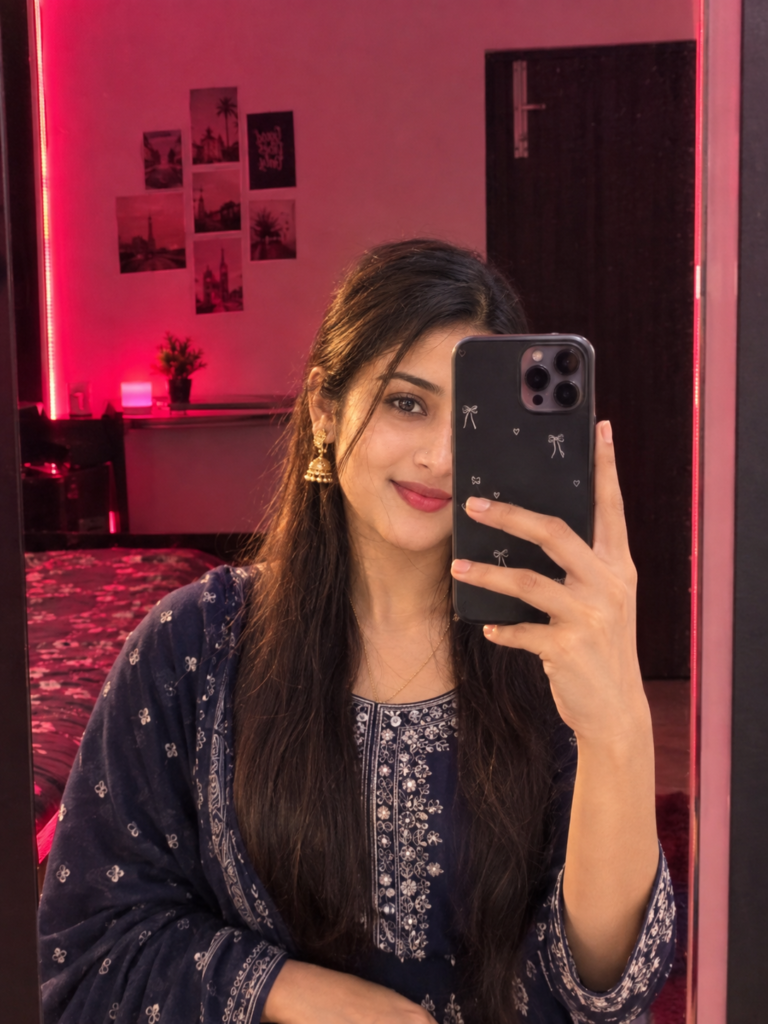
📱 Pink & Red Mirror Selfie AI Photo Prompt
AI Photo Prompt 2: Cinematic Saree Street Portrait
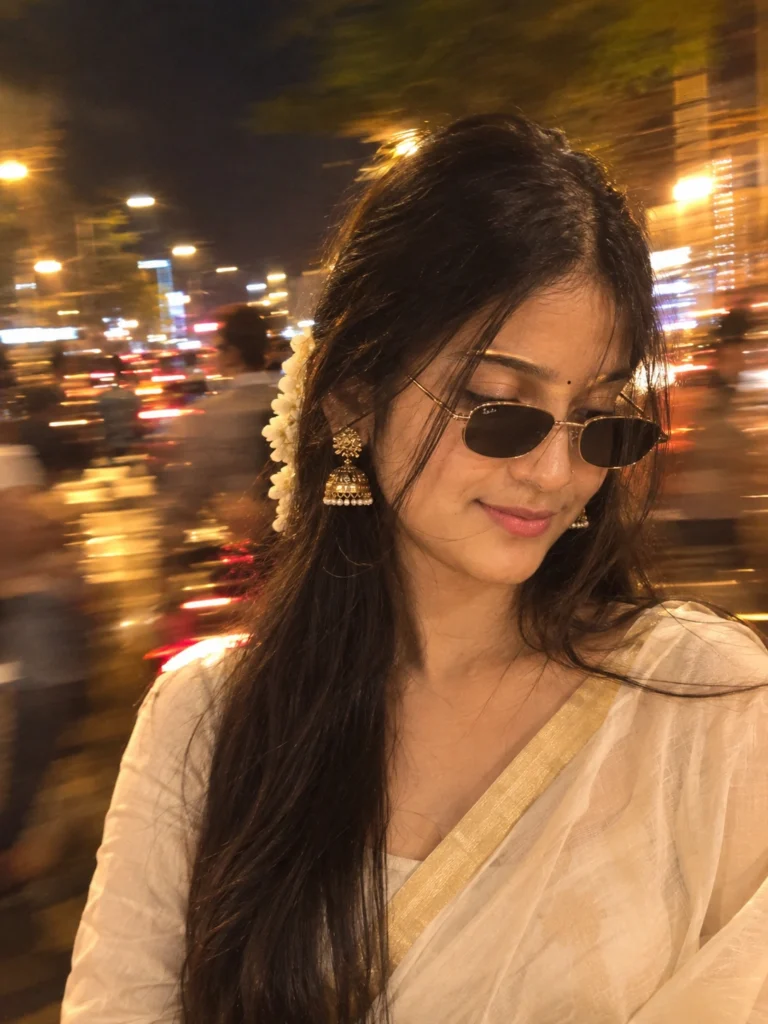
🌙 Cinematic Night Street Saree AI Photo Prompt
Better AI Photo Result Ke Liye Kya Karein?
Sirf prompt achha hona hi enough nahi hai. Uploaded photo bhi clear honi chahiye.
Clear Photo Use Karein
Aisi photo upload karein jisme face properly visible ho aur image bahut zyada blurry na ho
Identity Preserve Karne Ki Instruction Dein
Agar aap chahte hain ki face recognizable rahe, to prompt mein clearly likhein:
“Keep my face and overall identity recognizable.”
Lighting Ka Dhyan Rakhein
Realistic result ke liye prompt mein environment ke according lighting mention karna useful hota hai.
Background Detail Mein Batayein
Sirf “background change karo” likhne ke bajay exact environment batayein.
Kya Sirf Ek Photo Se AI Image Banegi?
Haan, kai AI image-editing workflows mein ek single uploaded photo ko identity reference ke roop mein use karke new image create ki ja sakti hai.
Isliye har baar background ki separate photo dena zaroori nahi hota.
Aap prompt mein hi background describe kar sakte hain.
For example:
“Create a realistic night-time petrol station environment.”
Ya:
“Create a stylish indoor room with pink and red ambient lighting.”
Kya Face Same Rahega?
AI ko prompt dete waqt face aur identity preserve karne ki clear instructions dena helpful hota hai.
Aap ye line use kar sakte hain:
“Keep my facial features, skin tone and overall identity recognizable.”
Lekin AI-generated images mein exact identity preservation ki guarantee nahi hoti. Result uploaded photo, prompt aur image-generation system par depend kar sakta hai.
Kya Mobile Se ChatGPT Photo Editing Kar Sakte Hain?
Haan, supported ChatGPT experience ke through mobile se bhi photo upload karke image-editing instructions di ja sakti hain.
Aapko mainly ek clear photo aur proper prompt ki zarurat hoti hai.
Isliye agar aap phone se AI Photo Editing kar rahe hain, to bhi upar diye gaye prompts ko use kar sakte hain.
AI Viral Photo Banane Ke Liye Kya Karein?
Agar aap social media ke liye AI Photo create kar rahe hain, to sirf high quality image par focus na karein.
Photo ka concept bhi interesting hona chahiye.
Kuch ideas:
- Petrol Pump Night Photo
- Rainy Night Portrait
- Travel Photography
- Mirror Selfie
Aap ek hi original photo se different prompts try karke multiple styles create kar sakte hain.
Final Words:
AI Photo Editing ab sirf professional editors tak limited nahi hai. Ek normal photo aur ek detailed ChatGPT Image Prompt ki help se aap different photography styles try kar sakte hain.
Chahe aapko night petrol pump photo, stylish mirror selfie ya cinematic saree portrait banana ho, prompt mein scene ko clearly describe karna sabse important hai.
Aap upar diye gaye prompts ko directly use karke apni photo ke saath experiment kar sakte hain. Agar first result perfect na aaye, to prompt mein small changes karke dobara try karein. AI Photo Editing mein thoda experimentation karne se kaafi different aur creative results mil sakte hain.
FAQ
ChatGPT photo edit kaise kare?
ChatGPT mein apni photo upload karke clear Photo Editing Prompt dene se photo ko different style mein edit ya transform kiya ja sakta hai.
ChatGPT se photo kaise banaye?
Apni photo upload karein aur prompt mein desired background, lighting, outfit, pose aur photography style describe karein.
ChatGPT se realistic photo kaise banaye?
Prompt mein realistic skin texture, natural lighting, realistic shadows, accurate proportions aur professional camera photography jaise instructions add karein.
Trending AI Photo Prompt 2026 kaise use karein?
Apni photo upload karke relevant Trending AI Photo Prompt paste karein aur apne requirement ke according background, outfit ya lighting mein changes karein.