
Winter photos ka look warm clothes, soft lighting aur snowy background ke combination se kaafi cinematic ban sakta hai. Neeche diye gaye dono prompts se aap apni photo ko alag-alag winter scenes mein edit kar sakte hain: ek cozy cabin ke andar aur doosra snow-covered village mein bonfire ke paas.
1. Cozy Cabin Winter Portrait
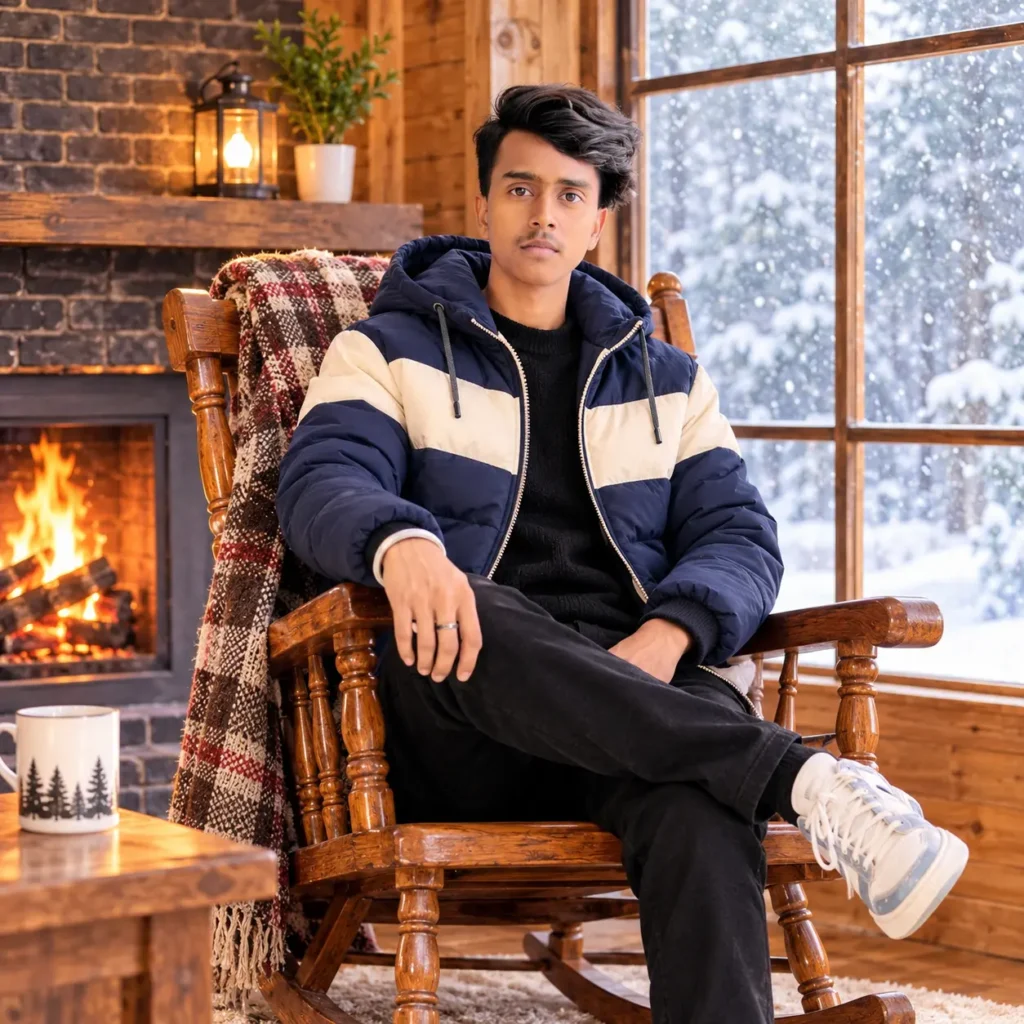
Is portrait mein ladka ek wooden rocking chair par relaxed pose mein baitha hai. Navy-blue aur cream puffer jacket, cabin ki wooden details, khidki ke bahar halki snowfall aur andar aati warm light milkar comfortable winter mood banate hain. Yeh prompt indoor portrait ya profile-style image ke liye use kar sakte hain.
Copy-Paste Prompt
Use my uploaded photo as the identity reference and keep my face and hairstyle recognizable. Create a photorealistic winter portrait of me sitting comfortably in a wooden rocking chair inside a cozy rustic cabin. Dress me in a stylish navy-blue and cream color-block puffer jacket over a dark outfit. Show gentle snow falling outside the large window, with a softly blurred snowy landscape beyond it. Add warm sunlight coming through the window, a dark brick fireplace wall, wooden interior details, and a peaceful winter atmosphere. Frame me in a relaxed seated pose, looking toward the camera with a natural expression. Cinematic warm-and-cool lighting, realistic fabric and skin texture, square composition, no text, no watermark.
2. Snowy Bonfire Winter Portrait
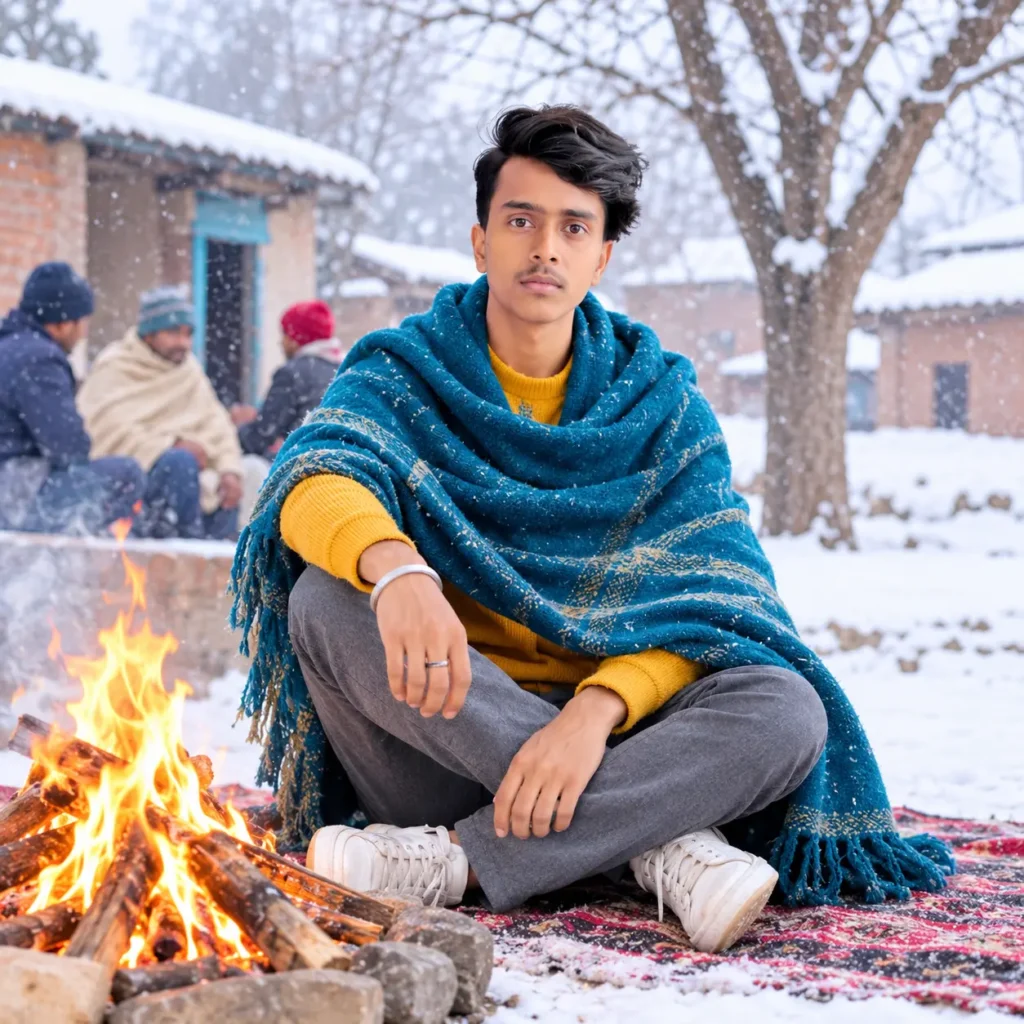
Is scene mein ladka snowy village ke beech rug par cross-legged baitha hai. Mustard-yellow sweater ke upar teal-blue shawl lapeti hui hai aur paas mein chhoti, safely contained bonfire jal rahi hai. Barf se dhake rooftops, bare trees aur background mein halki snowfall portrait ko calm outdoor winter feel dete hain.
Copy-Paste Prompt
Use my uploaded photo as the identity reference and keep my face, hairstyle, and natural features recognizable. Create a photorealistic winter portrait of me sitting cross-legged on a rug beside a small, safely contained bonfire in a snowy village. Dress me in a mustard-yellow sweater, grey trousers, and a thick teal-blue shawl wrapped warmly around my shoulders. Show a few people softly blurred in the background, snow-covered rooftops, bare winter trees, and gentle falling snow. Capture me looking toward the camera with a calm, friendly expression. Use soft overcast daylight with the fire adding a subtle warm glow, realistic skin and fabric textures, and a cinematic shallow depth of field. Square composition, no text, no watermark.
In Prompts Ko Kaise Use Karein
- Aisa clear photo choose karein jisme chehra achhi tarah visible ho.
- Apne pasand ka scene—cabin ya bonfire—select karein.
- Us scene ka prompt copy karke AI image editor mein paste karein.
- Generate karne ke baad image check karein; agar jacket, shawl ya background sahi na aaye, us detail ko dobara specify karke edit karein.
- Apni pasand ka final version save karein.
Better Result Ke Liye Tips
- Blurry ya bahut dark reference photo ke bajay sharp, well-lit photo use karein.
- Face preserve karne ke liye prompt mein identity wali instruction rehne dein.
- Cabin look ke liye “warm window light” aur “gentle snowfall” jaise details rakhein.
- Bonfire look mein fire ko chhota aur safely contained specify karein, taaki scene natural lage.
- Ek hi prompt se alag results aa sakte hain; zarurat par multiple versions generate karein.
FAQs
Kya main apni photo ke saath ye prompts use kar sakta hoon?
Haan. Apni clear photo upload karke usse identity reference ke roop mein use karein. Aisi photo hi use karein jise edit karne ka aapko adhikar ho.
Dono prompts mein kya difference hai?
Pehla prompt cabin ke andar warm, relaxed portrait banata hai. Doosra prompt snowy village mein bonfire ke paas outdoor portrait ke liye hai.
Kya outfit ke colors change kar sakta hoon?
Bilkul. Prompt mein navy-blue, cream, mustard-yellow ya teal-blue ko apne pasand ke colors se replace kar sakte hain.
AI mera face badal de to kya karun?
Ek clearer reference image try karein aur prompt mein dobara likhein ki face, hairstyle aur natural features recognizable rakhe jaayen. Alag generation mein result behtar aa sakta hai.
Kya ye prompts har AI image editor mein kaam karenge?
Inhe un image editors mein try karein jo photo upload aur prompt-based editing support karte hain. Har tool prompt ko alag tarah interpret kar sakta hai, isliye output thoda vary ho sakta hai.
Conclusion
Ye Winter AI Photo Prompt for Boy do different winter styles deta hai: cozy cabin portrait aur snowy bonfire scene. Apni clear photo upload karein, matching prompt copy karein, aur outfit ya background ko apne taste ke hisaab se customize karke winter portrait banayein.
More prompts like this
https://aiwithansh.com/winter-photo-prompt-girls/
https://aiwithansh.com/winter-selfie-ai-photo-editing-prompt-for-girls/