Aajkal social media par car ke saath stylish photos ka trend kaafi dekhne ko mil raha hai. Lekin har kisi ke paas luxury car, perfect location ya professional photoshoot ka setup nahi hota. Yahin par AI Photo Editing ka idea useful ho jata hai.
Aap apni ek normal photo upload karke AI ko bata sakte hain ki apko kis type ka car scene chahiye. Background, outfit, pose, lighting aur vehicle ka look prompt ke through describe kiya ja sakta hai.
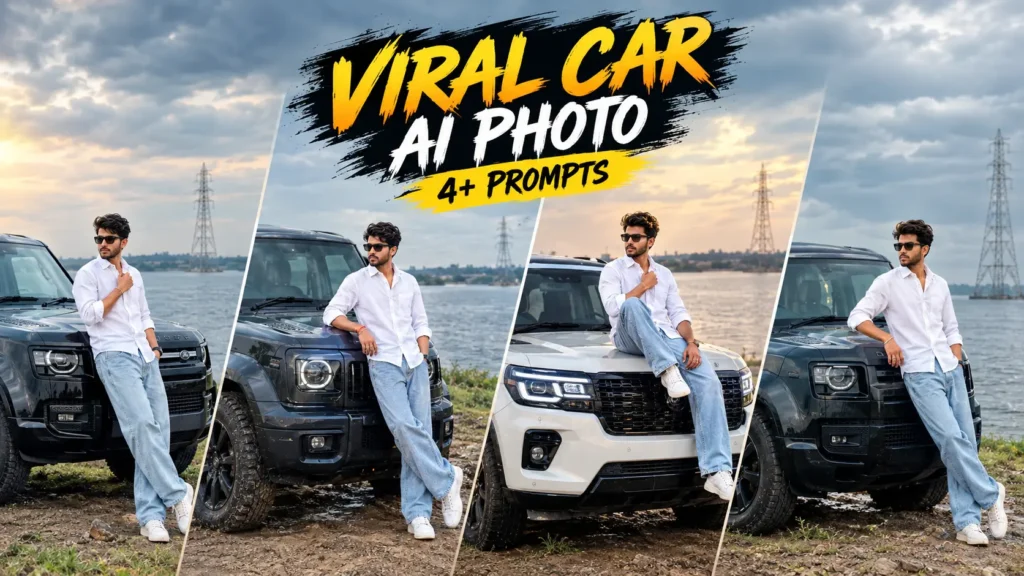
Isi article mein hum Viral Car 4+ Prompt ke under kuch different AI Photo Prompts share kar rahe hain. In prompts ki help se aap luxury SUV, night car portrait, underground parking aur riverside lifestyle jaise alag looks try kar sakte hain.
Sabse interesting part ye hai ki har prompt mein aapko alag concept milega. Isliye ek hi normal photo se multiple styles experiment karna possible hai.
Ek Normal Photo Ke Liye Kya Chahiye?
Is type ke prompts ko try karne ke liye ek clear source photo sabse basic requirement hai.
Face visible ho, image bahut blurry na ho aur body ka important part crop na hua ho to AI ke liye reference dena comparatively easier ho sakta hai.
Uske baad aap neeche diye gaye prompts mein se apne pasand ka concept choose kar sakte hain.
Car AI Photo Trend Mein Kya Interesting Hai?
Car ke saath photo koi nayi cheez nahi hai, lekin AI ne is concept ko kaafi flexible bana diya hai.
Pehle agar kisi ko luxury SUV ke saath professional photo chahiye hoti thi to real location, car aur photographer ki zarurat pad sakti thi. AI workflow mein aap scene ko prompt ke through describe karke ek creative version generate karne ki koshish kar sakte hain.
Aap night street, luxury villa, parking garage ya riverside location mein apna portrait create kar sakte hain.
Iska matlab ye nahi ki har generated image exactly real photograph jaisi hogi. Output source image aur AI tool ke according change ho sakta hai.
Viral Car 4+ Prompt 1
Ye prompt un users ke liye hai jo apni normal photo ko ek premium white SUV ke saath stylish night portrait mein transform karna chahte hain.
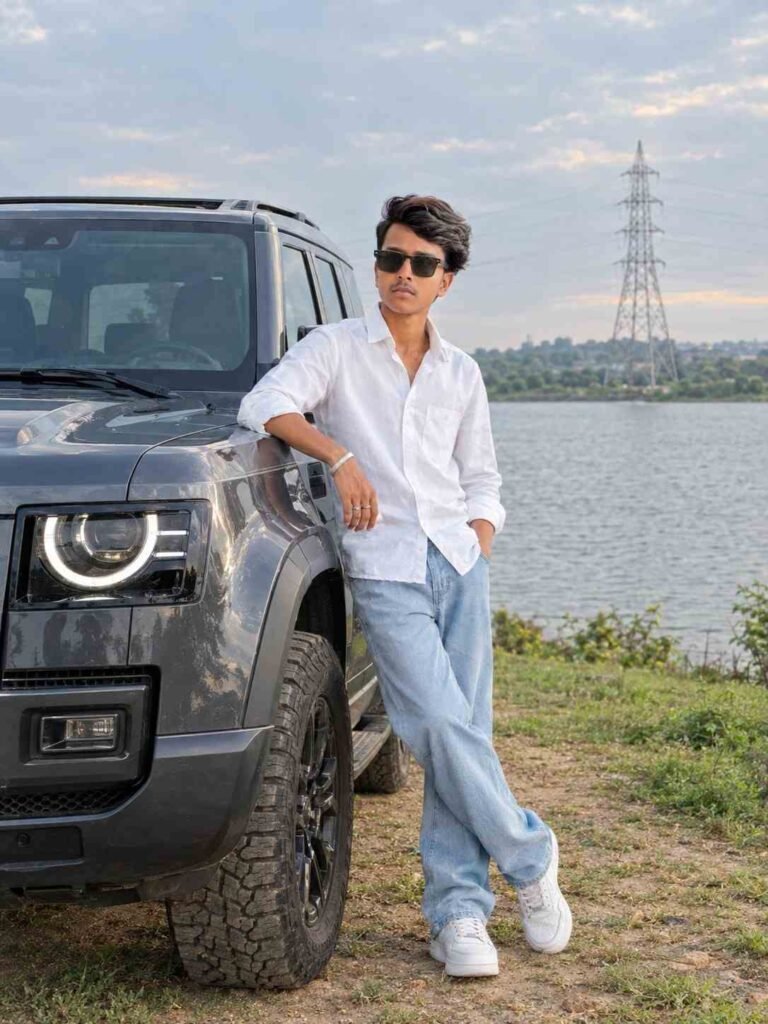
🚙 Luxury Off-Road SUV Lakeside AI Photo Prompt
Viral Car 4+ Prompt 2
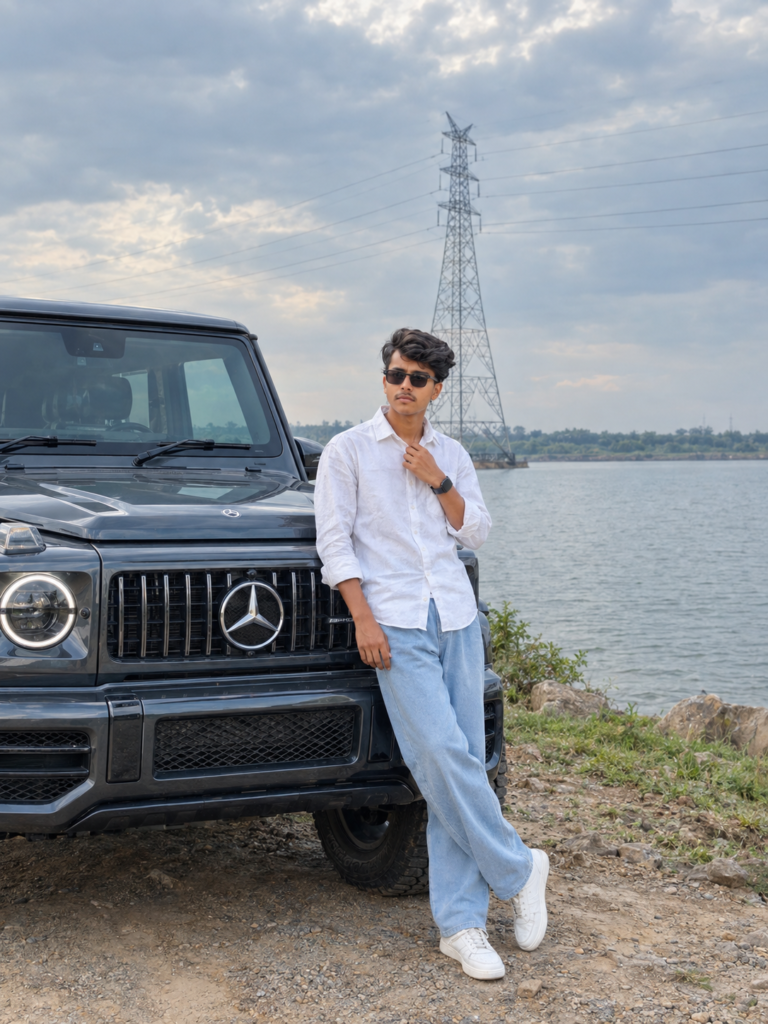
🚙 Dark Grey Luxury SUV Lakeside AI Photo Prompt
Viral Car 4+ Prompt 3
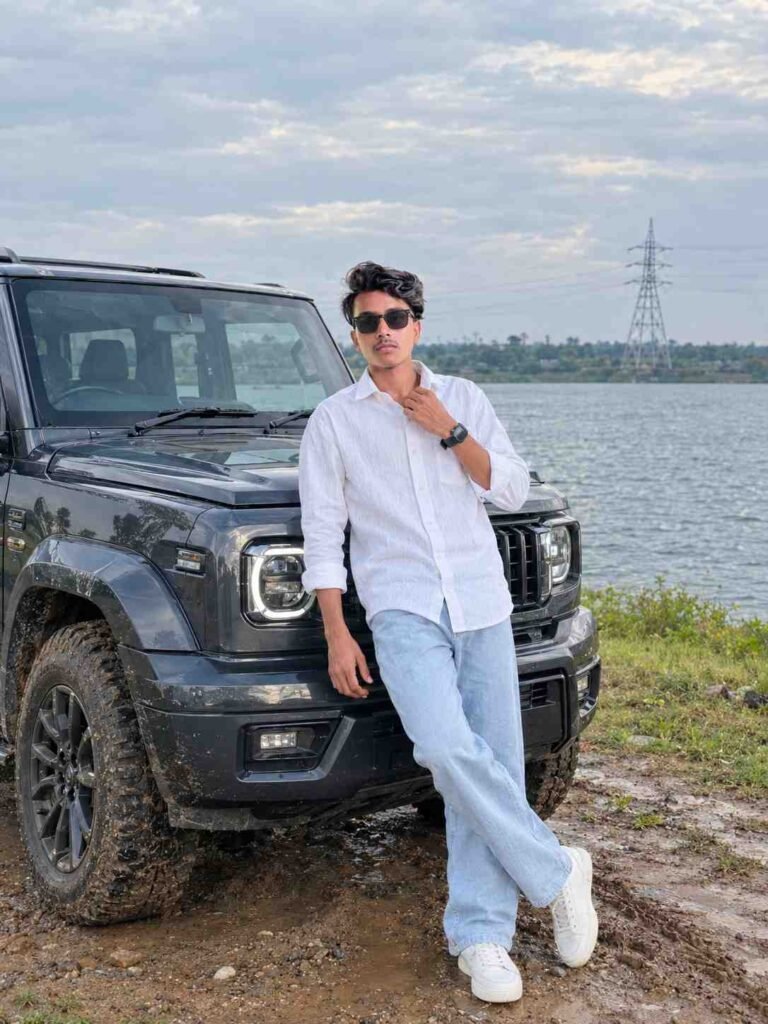
🚙 Dark Grey Luxury SUV Cinematic AI Photo Prompt
Car Aur Person Ka Size Match Karna Kyu Important Hai?
AI-generated image mein ek common visual problem incorrect scale ho sakti hai. Kabhi person car ke comparison mein bahut bada ya bahut chhota lag sakta hai.
Isliye prompt mein accurate perspective, realistic scale aur natural interaction jaise instructions useful hote hain.
Car ke hood par sitting pose ho to hands aur legs ka placement bhi natural hona chahiye. Isi wajah se prompt mein pose ko detail mein describe kiya gaya hai.
Kya Background Bhi Apne Hisab Se Change Hoga?
Haan. Ye prompts specially is tarah likhe gaye hain ki background ko prompt ke through define kiya ja sake.
Aap residential street ki jagah hotel driveway, city road, beachside road, rooftop parking ya luxury resort jaisi location describe kar sakte hain.
Bas background change karte waqt lighting ko bhi us environment ke according update karna useful rahega.
Ek Hi Photo Se Multiple Car Looks Kaise Banayein?
Is article ka sabse useful part yahi hai.
Aap same source photo ko use karke alag-alag prompts try kar sakte hain. Ek version mein open car door, doosre mein hood pose, teesre mein riverside aur fourth mein underground parking use kiya ja sakta hai.
Isse aapko baar-baar new source photo dhoondhne ki zarurat nahi padti.
AI Car Photo Ko Zyada Realistic Kaise Rakhein?
Prompt detailed hone ke saath source image ki quality bhi matter karti hai.
Bahut low-quality photo use karne par face aur clothing details ko correctly maintain karna difficult ho sakta hai. Isliye clear source image se start karna better rahega.
Lighting ko ignore mat karein. Agar background night ka hai aur face par bright daylight jaisi light hai, to output less natural lag sakta hai.
Isi liye prompts mein warm lights, cool ambient light, reflections aur shadows ko environment ke according mention kiya gaya hai.
Final Image Share Karne Se Pehle Kya Check Karein?
Generated image ready hone ke baad ek baar zoom karke check zaroor karein.
Face, eyes, hands, fingers aur body proportions natural lag rahe hain ya nahi, ye dekhein. Car ki wheels, headlights aur body panels bhi inspect karein.
Background mein random objects, unwanted text ya strange elements aa gaye hon to image ko regenerate karna better rahega.
FAQ:
AI se car ke saath realistic photo kaise banaye?
Apni clear photo upload karke detailed prompt use karein jisme car, pose, background, lighting aur identity preservation ki instructions di gayi hon
Kya SUV ki jagah sports car use kar sakte hain?
Haan, prompt mein vehicle description change karke sports car, sedan ya vintage car try ki ja sakti hai.
Car AI photo ko realistic kaise banaye?
Natural lighting, realistic shadows, accurate scale, vehicle reflections, skin texture aur proper depth of field jaise details prompt mein add karein.
Kya mobile se Viral Car AI Photo bana sakte hain?
Haan, supported AI image-generation features available hone par mobile se bhi photo upload karke prompts use kiye ja sakte hain.
Final Words:
AI Photo Editing ne car photography ko experiment karne ka ek simple tarika de diya hai. Ab ek normal photo ke saath aap alag-alag environments aur luxury car concepts try kar sakte hain.
Is article ke Viral Car 4+ Prompt collection mein hood pose, open-door shot, underground parking aur riverside SUV jaise multiple ideas diye gaye hain. Aap in prompts ko same source photo ke saath test karke apne according different versions create kar sakte hain.
Best result ke liye clear photo use karein, prompt ki details ko samajhkar chhote changes karein aur generated image ko publish karne se pehle ek baar properly check zaroor karein.