
Create two romantic wedding portraits using your own couple photo: one with the bride leaning on the groom’s shoulder, and another with the groom standing beside the seated bride. Both looks feature traditional Indian wedding outfits, warm golden light, and a floating music-player display.
Look 1: Couple Sitting Together
In this portrait, the groom sits in an ivory embroidered sherwani while the bride, wearing an ivory-and-gold lehenga with a deep-red veil, rests her head gently on his shoulder. Her henna-decorated hand rests on his chest. Warm light and a music-player display in the background give the image a soft, romantic feel.
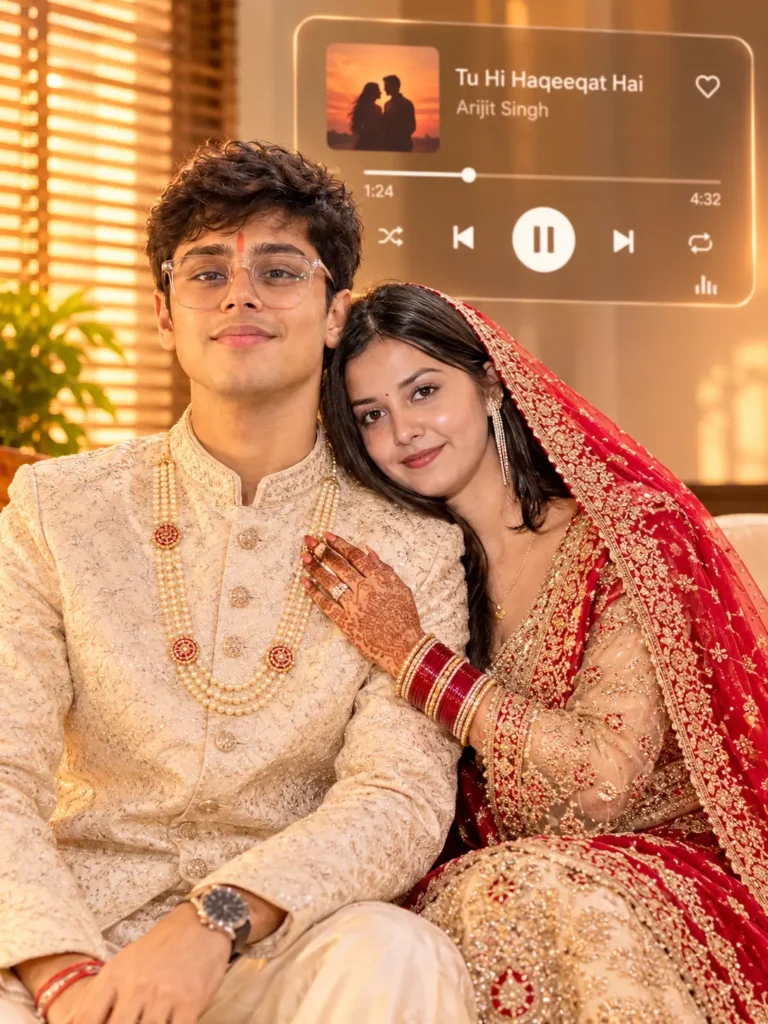
Copy-Paste Prompt
Use my uploaded photo as the identity reference for both people. Create a warm, romantic Indian wedding portrait of a newlywed couple sitting close together. The groom wears an ivory embroidered sherwani with a traditional necklace and a small red tilak. The bride, dressed in an ivory-and-gold bridal lehenga with a richly embroidered red dupatta over her head, gently rests her head on his shoulder and places her henna-decorated hand on his chest. Set the scene in a softly lit room with warm sunlight, wooden blinds, and a dreamy golden glow. Add a large floating music-player interface in the upper background, showing album artwork, a song title, artist name, progress bar, and playback controls. Keep the couple’s faces recognizable, expressions natural, and clothing richly detailed. Romantic cinematic photography, soft focus, vertical 3:4 composition. No extra text or watermark.
Look 2: Groom Standing Beside the Seated Bride
This portrait shows the groom standing close to the bride, who sits gracefully in a deep-maroon lehenga. His ivory sherwani and matching turban complement her detailed bridal outfit and jewelry. Soft golden light, indoor steps, and a floating music-player display complete the wedding-editorial look.
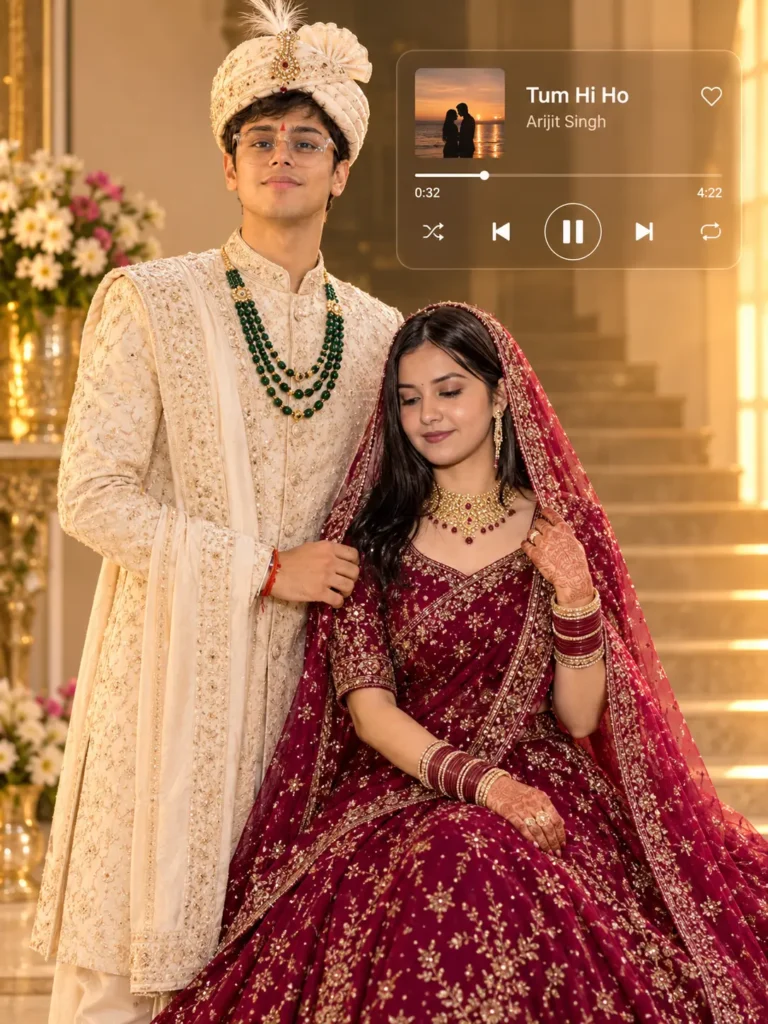
Copy-Paste Prompt
Use my uploaded photo as the identity reference for both people and keep their facial features recognizable. Create a warm, cinematic Indian wedding portrait. Show the groom standing beside the seated bride, wearing an ivory embroidered sherwani, matching turban, layered dark-green necklace, and a red tilak. Dress the bride in a richly embroidered deep-maroon lehenga with a matching veil draped over her head, traditional gold bridal jewelry, bangles, and henna on her hands. She sits gracefully with her gaze lowered while the groom stands close beside her. Set them in an elegant indoor room with steps in the background and soft golden sunlight streaming in from the right. Add a large floating music-player interface above them, with album artwork, playback controls, a progress bar, and song details. Keep the couple as the main focus, with natural poses, detailed fabric and jewelry, and a soft golden glow. Vertical 3:4 composition, no watermark.
How to Create These Wedding Portraits
- Choose a clear photo of the couple where both faces are visible.
- Open an AI photo editor that supports image uploads.
- Select one of the two looks and paste its prompt.
- Generate the image and review the faces, outfits, pose, and background.
- If needed, ask the editor to adjust one detail at a time, such as the lehenga color or lighting.
Tips for Better Results
- Use a sharp reference photo with both people clearly visible.
- For closer likeness, keep the instruction to preserve both people’s faces.
- If the music-player text looks garbled, ask for a clean, generic music interface without readable text.
- If jewelry or hands look distorted, regenerate or ask for more natural details.
- Image results can vary between tools and generations.
FAQs
Can I use my own couple photo?
Yes. Upload a photo you have permission to edit, ideally with both faces clearly visible.
Can I change the bride’s lehenga color?
Yes. Replace “deep-maroon” or “ivory-and-gold” with the color you want in the prompt.
Can I remove the floating music-player display?
Yes. Delete that instruction from the prompt, or add “no interface or text in the background.”
Why might the faces or hands look different?
AI editors can interpret reference photos differently. Use a clearer photo, repeat the identity-preservation instruction, or try generating another version.
Will the music-player text always appear correctly?
Not always. Image generators may produce inaccurate lettering. For a cleaner image, request a generic player interface without readable text, then add any text separately using an image editor.
Conclusion
These two Indian wedding prompts create different couple portraits: one intimate and seated, the other with the groom standing beside the bride. Upload a clear couple photo, choose the look you prefer, and customize the outfits, setting, or music-player display to make the result your own.
More prompts like this
https://aiwithansh.com/romantic-couple-ai-photo-collage-prompt/