
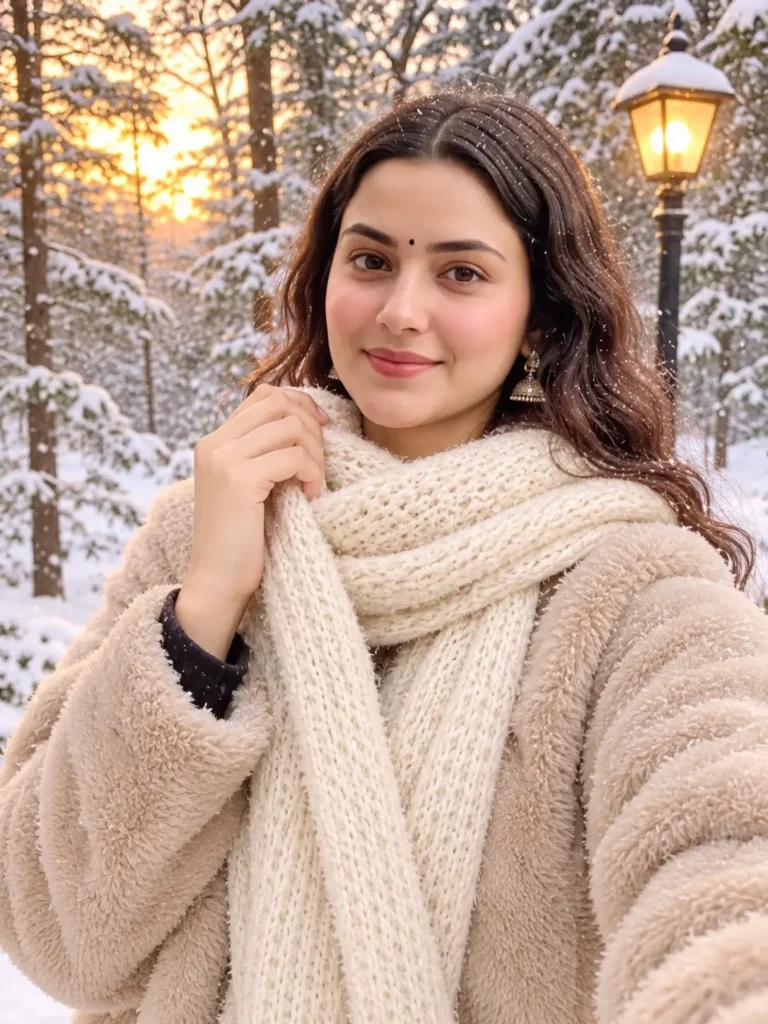
Create a cozy winter portrait with a snowy forest, a warm sunset, and a soft scarf. Upload a clear photo, copy the prompt below into your AI image editor, and adjust the details to suit your style.
Copy-Paste Prompt
Use my uploaded photo as the identity reference and keep my face, hairstyle, and natural features recognizable. Create a cozy winter portrait of me outdoors in a snowy forest at sunset. Frame it as a close-up selfie, with me gently holding a soft cream knitted scarf near my face and wearing a plush beige winter coat. Add snow-covered trees, a warm glowing streetlamp in the background, and golden sunset light filtering through the branches. Use soft natural lighting, realistic skin texture, subtle snow, a warm cinematic color grade, and a shallow depth of field. Keep the expression relaxed and friendly. Portrait 3:4 composition, photorealistic, no text, no watermark.
How to Make the Image
- Open an AI image editor that allows photo uploads.
- Choose a clear selfie with your face visible and good lighting.
- Paste the prompt into the editor and generate the image.
- If the result needs adjustment, ask for specific changes, such as a thicker scarf or more visible snowfall.
- Save the version you like.
Tips for Better Results
- Use a sharp photo so the AI can follow your facial features.
- Keep the face and scarf visible in the reference image.
- Mention the coat color, background, and lighting clearly.
- If the snowfall looks too heavy, ask for “light, natural snowfall.”
- Try a few versions—AI results can differ each time.
FAQs
How do I create this winter selfie AI photo?
Upload a clear selfie to an AI image editor, paste the prompt, and generate the image. You can adjust the scarf, coat, or snowfall if needed.
Can I use my own photo with this prompt?
Yes. Use a photo you have permission to edit and ask the AI tool to preserve your recognizable facial features.
Which photo works best?
A sharp, well-lit selfie with your face clearly visible usually gives the editor a better reference.
Can I change the coat or scarf color?
Yes. Replace “beige coat” or “cream scarf” in the prompt with your preferred colors.
Why does the generated face look different?
AI results can vary. Try a clearer reference photo and repeat the instruction to keep your face and natural features recognizable.
Can I use this prompt in Gemini or another AI editor?
You can try it in an image editor that supports photo uploads and prompt-based editing. Results may vary between tools.
Conclusion
This winter selfie prompt combines a warm outfit and sunset lighting with a snowy forest setting. Upload your photo, paste the prompt, and customize the coat, scarf, or background to create your own winter portrait.