Aajkal AI Photo Editing mein sirf simple background change karna hi trend nahi hai. Log apni normal photos ko aise creative scenes mein convert kar rahe hain jahan poori image ka mood hi badal jata hai.
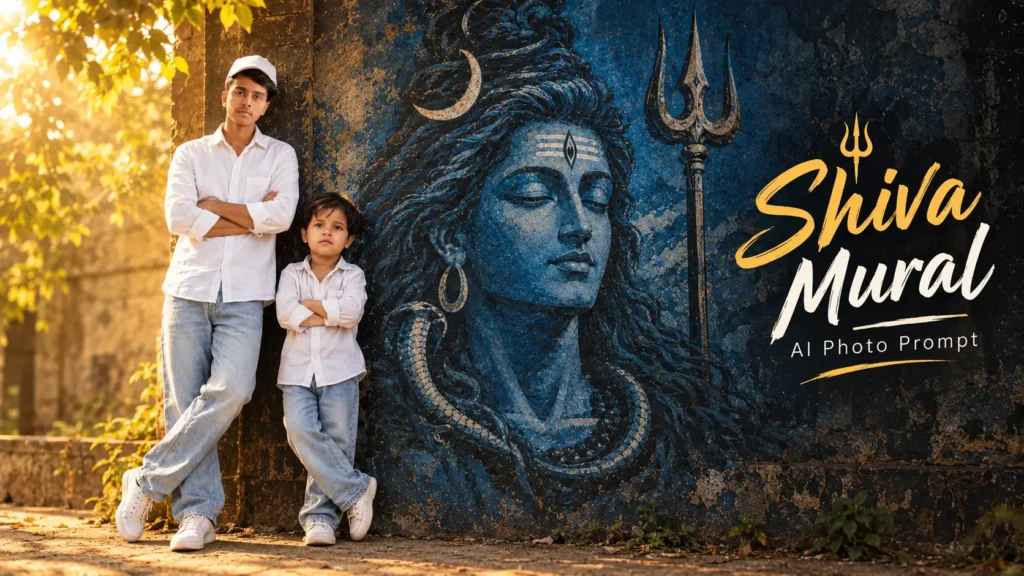
Agar aapne kabhi aisi photo dekhi hai jisme ek person ek large Lord Shiva mural ke paas khada hai aur poori image mein warm golden light, dark wall texture aur cinematic atmosphere dikhai deta hai, to aisa look AI ki help se create kiya ja sakta hai.
Is article mein hum isi style ke liye ek ready-to-use Lord Shiva Mural AI Photo Prompt share kar rahe hain. Iska main idea ye hai ki reader sirf apni ek normal photo upload kare aur prompt ki help se similar cinematic scene generate karne ki koshish kare
Is Photo Style Mein Kya Khaas Hai?
Is image ka main attraction sirf subject nahi, balki subject aur mural ka combination hai.
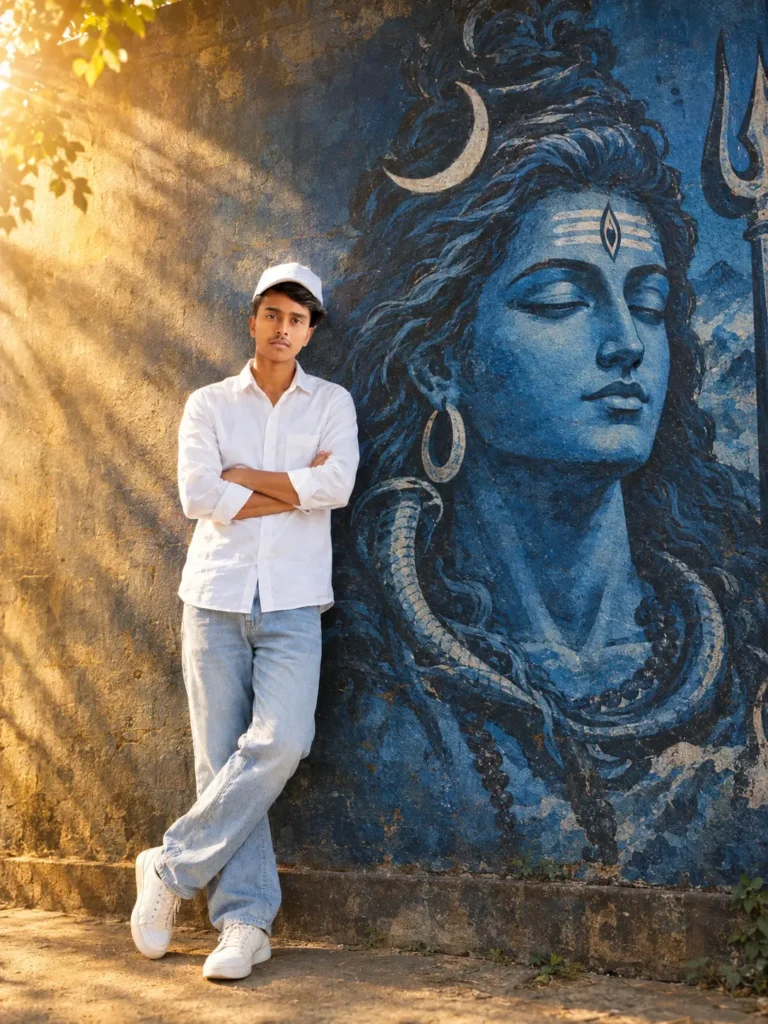
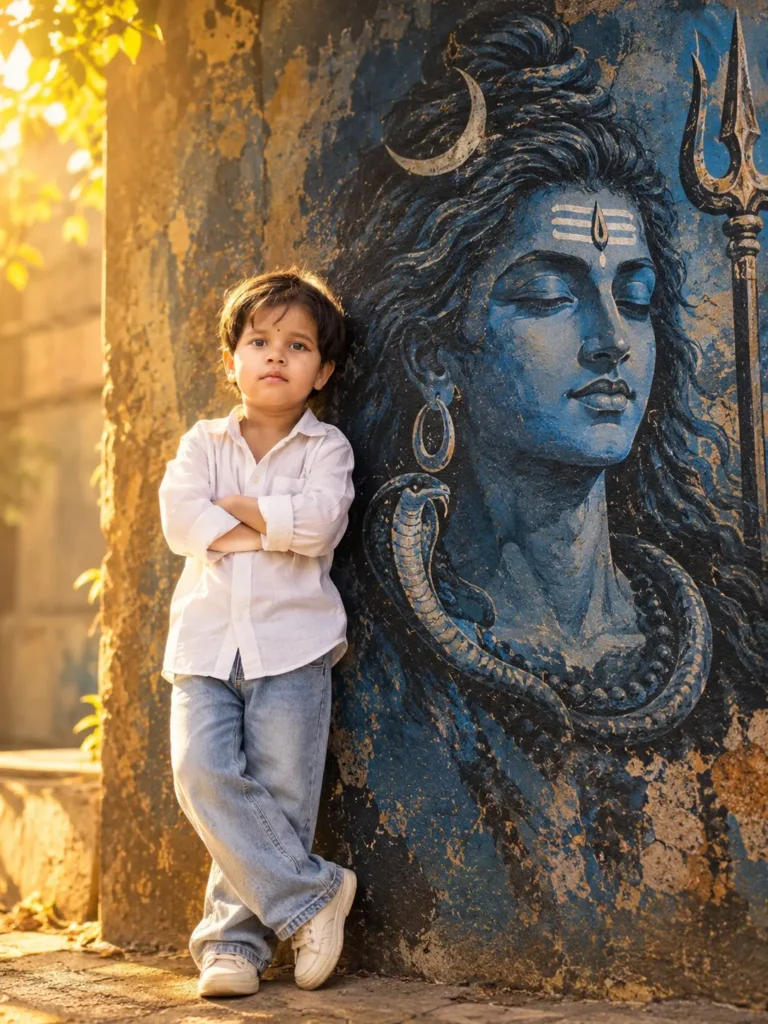
Ek side par person ka natural portrait hota hai, jabki doosri side par ek bada artistic Shiva mural poori wall ko cover karta hua nazar aata hai. Warm golden light scene ko soft glow deti hai aur dark surroundings image ko dramatic feel dete hain.
Mural ke andar blue-toned artwork, long hair, crescent moon, traditional forehead marking aur snake jaise visual elements spiritual theme ko strong banate hain.
Isi combination ki wajah se final image ek normal portrait ki jagah ek cinematic story jaisi feel de sakti hai.
Normal Photo Se Aisa Scene Kaise Banega?
Is type ki image ke liye har element ko manually edit karne ki zarurat nahi hai.
AI ko aapki original photo identity reference ke roop mein di ja sakti hai aur prompt mein baaki scene describe kiya ja sakta hai.
For example, prompt me:
- Large Lord Shiva mural
- Old textured wall
- Realistic environment
- White shirt aur light blue jeans
- Warm golden light
- Cinematic shadows
jaise details mention ki ja sakti hain.
AI in instructions ko combine karke ek naya visual scene create karne ki koshish karta hai.
Ek Photo Se AI Transformation Try Karne Ka Tarika
Read This:
Clear Image Se Shuru Karein
Apni aisi photo use karein jisme face aur body reasonably clear ho. Bahut dark ya heavily blurred image avoid karna better rahega.
Image Upload Karein
Apni photo ko supported AI image tool mein upload karein.
Prompt Paste Karein
Neeche diya gaya prompt copy karke use karein. Isme identity, outfit, mural, lighting aur overall environment ki details already di gayi hain.
Result Ko Dhyan Se Check Kare
Generated image ko zoom karke face, hands, clothing aur background ko dekhein. Agar koi part expected jaisa nahi aaye, to us particular detail ko edit instruction ke saath dobara try kiya ja sakta hai.
Boy AI Photo Prompt: Lord Shiva Mural Cinematic Portrait
🔱 Lord Shiva Mural Cinematic AI Photo Prompt
Girls AI Photo Prompt: Lord Shiva Mural Cinematic Portrait
🔱 Lord Shiva Mural Cinematic AI Photo Prompt
Shiva Mural Ko Realistic Kaise Dikhayein?
Is style mein mural ko sirf ek background image ki tarah paste kar dena enough nahi hai. Uska lighting aur perspective bhi subject ke scene se match karna chahiye.
Isi liye prompt mein mural ko hand-painted wall artwork ke roop mein describe kiya gaya hai. Saath hi wall texture, shadows aur perspective ka bhi mention hai.
Agar mural aur subject ki lighting alag-alag feel karegi, to image edited jaisi lag sakti hai. Matching light aur shadow overall scene ko more natural appearance dene mein help kar sakte hain.
Golden Lighting Ka Role Kya Hai?
Warm golden light is image ka mood set karti hai.
Side ya backlight ke through hair ke around soft glow create ho sakta hai, jabki face par gentle light subject ko background se separate karne mein help kar sakti hai.
Dusri taraf mural ko comparatively darker rakhne se uska depth effect aur stronger ho sakta hai.
Isi liye prompt mein warm side lighting ke saath atmospheric darker mural ka combination diya gaya hai.
Outfit Ko Simple Kyu Rakha Gaya Hai?
Is type ke creative portrait mein background already detailed hota hai. Isliye subject ka outfit simple rakhne se poori image balanced lag sakti hai.
White shirt aur light blue jeans ka combination warm golden background ke saath visually soft contrast create kar sakta hai.
Aap chahein to isi concept mein outfit ko black shirt, beige shirt ya traditional clothing se bhi replace kar sakte hain.
Pose Ko Natural Kaise Rakhein?
Is image mein pose simple hai, lekin isi simplicity se portrait believable lag sakta hai.
Arms crossed, wall ke paas relaxed standing position aur slightly closed eyes image ko peaceful mood dete hain.
Aap isi pose ko maintain kar sakte hain ya prompt mein standing, sitting, side-profile ya looking-at-camera jaise small changes try kar sakte hain.
Is Style Ko Aur Creative Kaise Banayein?
Ek hi concept ko different moods mein easily modify kiya ja sakta hai.
Aap warm golden light ki jagah soft blue night lighting use kar sakte hain. Wall mural ko temple wall, ancient stone wall ya artistic studio wall ke look mein transform karne ki koshish kar sakte hain.
Rainy atmosphere, light fog ya subtle incense-smoke effect bhi spiritual mood ko change kar sakta hai.
Lekin bahut saare effects ek saath add karne ke bajay step-by-step changes try karna zyada practical rahega.
Sirf Ek Photo Se Ye AI Image Ban Sakti Hai?
Haan, prompt ko single uploaded image workflow ke liye banaya gaya hai.
Aapki photo identity reference provide karti hai, jabki mural, wall, lighting aur surroundings prompt mein describe kiye gaye hain.
Isliye separate background photo dena zaroori nahi rakha gaya hai.
Social Media Ke Liye Ye Photo Kahan Use Kar Sakte Hain?
Ye style Instagram post, profile content, Facebook creative, WhatsApp status ya personal AI photography collection ke liye use ki ja sakti hai.
Agar aap is image ko public profile par use kar rahe hain, to AI-generated content ko misleading context mein present na karna better practice hai.
Generated Image Ko Publish Karne Se Pehle Kya Check Karein?
Final image upload karne se pehle face aur hands ko zoom karke check karna useful hai.
Kabhi-kabhi AI fingers, clothing edges ya background elements ko incorrectly generate kar sakta hai.
Mural ke design mein unwanted text ya strange objects bhi aa sakte hain. Publish karne se pehle ek baar poori image inspect kar lena better rahega.
FAQ:
AI se Shiva mural wali photo kaise banaye?
Apni normal photo upload kar ke detailed AI Photo Prompt use kare jis me mural, lighting, pose aur background ki details di gayi hon.
Kya ek normal photo se aisi image ban sakti hai?
Haan, ek uploaded photo ko identity reference ke roop mein use karke isi type ka cinematic scene generate karne ki koshish ki ja sakti hai.
Lord Shiva Mural AI Photo kya hai?
Ye ek cinematic AI portrait style hai jisme person ko ek large artistic Lord Shiva mural ke paas realistic environment mein place kiya jata hai.
Kya AI photo mein face same rahega?
Prompt mein original facial features aur identity ko recognizable rakhne ki instruction di gayi hai, lekin exact same facial result ki guarantee nahi hoti.
Final Words:
Normal photo ko ek creative cinematic scene mein transform karna AI Photo Editing ka interesting use case hai. Lord Shiva mural wala concept isliye alag nazar aata hai kyunki ismein portrait, wall artwork, warm lighting aur spiritual atmosphere ek saath combine hote hain.
Upar diya gaya Lord Shiva Mural AI Photo Prompt single-photo workflow ko dhyan mein rakhkar likha gaya hai. Aap apni clear photo upload karke ise try kar sakte hain aur phir outfit, pose, lighting ya mural ke design mein apne according changes kar sakte hain.
Best result ke liye ek achhi source photo use karein aur generated image ko publish karne se pehle face, hands aur background details ko ek baar zaroor check karein.