Kabhi-kabhi ek simple photo ka mood hi uski sabse badi beauty hoti hai. Ek quiet street, pedon ke beech se aati sunlight, ek white car aur haath mein red roses ka bouquet — itni simple cheezein milkar bhi photo ko kaafi stylish bana sakti hain.
Agar aapke paas aisi location ya professional camera setup nahi hai, to AI Photo Editing ke through isi type ka creative portrait generate karne ki koshish ki ja sakti hai.
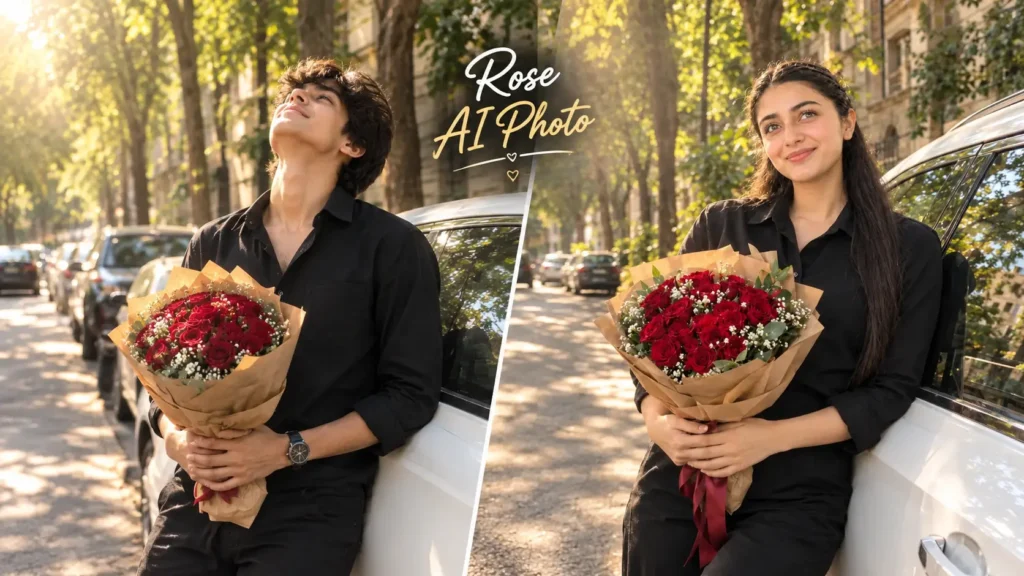
Is article mein hum Romantic Street Rose AI Photo Prompt ko step by step samjhenge. Iska main idea hai ki aap apni ek normal photo upload karein aur AI ki help se use tree-lined street, white car, black outfit aur red rose bouquet wale cinematic portrait mein transform karein.
Yahan focus sirf image generate karne par nahi hai. Hum ye bhi dekhenge ki source photo kaise select karni hai, pose ko natural kaise rakhna hai aur final image ko publish karne se pehle kya check karna chahiye.
Sabse Pehle Photo Ka Concept Samajh Lijiye
Reference style ki photo mein person ek white car ke against casually lean karta hua dikhai deta hai. Haath mein red roses ka bouquet hai aur face thoda upar ki taraf turned hai.
Background mein tall trees, parked vehicles aur old-style building architecture hai. Leaves ke beech se sunlight filter hokar aa rahi hai, jiski wajah se image mein soft golden highlights dikhte hain.
Is style ka charm kisi complicated effect mein nahi, balki simple pose + natural light + bouquet + street environment ke combination mein hai.
Step 1: Ek Achhi Normal Photo Choose Karein
AI image banane ka pehla step source photo hai.
Aap aisi image use karein jisme face clearly visible ho aur photo excessively blurry na ho. Full-body ya three-quarter photo is concept ke liye useful ho sakti hai, kyunki final scene mein person ka posture important hai.
Bahut dark image ya heavily filtered selfie se starting result expected se different aa sakta hai.
Step 2: AI Tool Mein Apni Photo Upload Karein
Ab selected photo ko apne supported AI image generation ya editing tool mein upload karein.
Yahan uploaded image ko identity reference ki tarah use kiya jayega. Prompt mein aap environment, outfit, pose, lighting aur bouquet ka description denge.
Iska benefit ye hai ki aapko pehle se white car ya same street ka background dhoondhne ki zarurat nahi padti.
Step 3: Scene Ko Properly Define Karein
Ab AI ko batana hoga ki aap kis type ka environment chahte hain.
Is concept mein ek tree-lined urban street hai, jahan road ke side parked cars hain aur background mein older architectural buildings dikhte hain.
Agar aap sirf “street background” likhenge to output bahut generic ho sakta hai. Isliye location ke visual details ko prompt mein clearly define karna useful hai.
Step 4: Outfit Aur Bouquet Ka Look Set Karein
Reference style mein black full-sleeve shirt aur black trousers ka simple outfit use kiya gaya hai.
Haath mein deep red roses ka bouquet hai, jisme small white flowers, green leaves aur brown wrapping paper bhi hai.
Dark outfit aur red flowers ek strong visual contrast create karte hain, isi wajah se bouquet image ka noticeable element ban jata hai.
Aap apni preference ke according shirt aur bouquet ke colors baad mein change bhi kar sakte hain.
Step 5: Pose Ko Natural Rakhei
Is image ka pose casual hai, over-posed nahi.
Person white car ke against relaxed way mein lean karta hai aur bouquet ko dono hands se hold karta hai. Head slightly upward hai, jisse photo mein peaceful aur dreamy expression aata hai.
Aise poses AI-generated photo ko artificial fashion shoot jaisa banne se rokne mein help kar sakte hain.
Step 6: Lighting Ko Ignore Mat Karein
Is look ka ek major part sunlight hai.
Trees ke leaves ke through aati soft sunlight face, hair aur car par natural highlights create karti hai. Road aur vehicle par bhi light patches dikhte hain.
Prompt mein lighting direction aur softness ka mention karne se environment aur subject ke beech better visual match create karne ki koshish ki ja sakti hai.
Step 7: Ready-to-Use Romantic Street Rose AI Photo Prompt
1.Neeche diya gaya prompt aap directly copy karke use kar sakte hai:
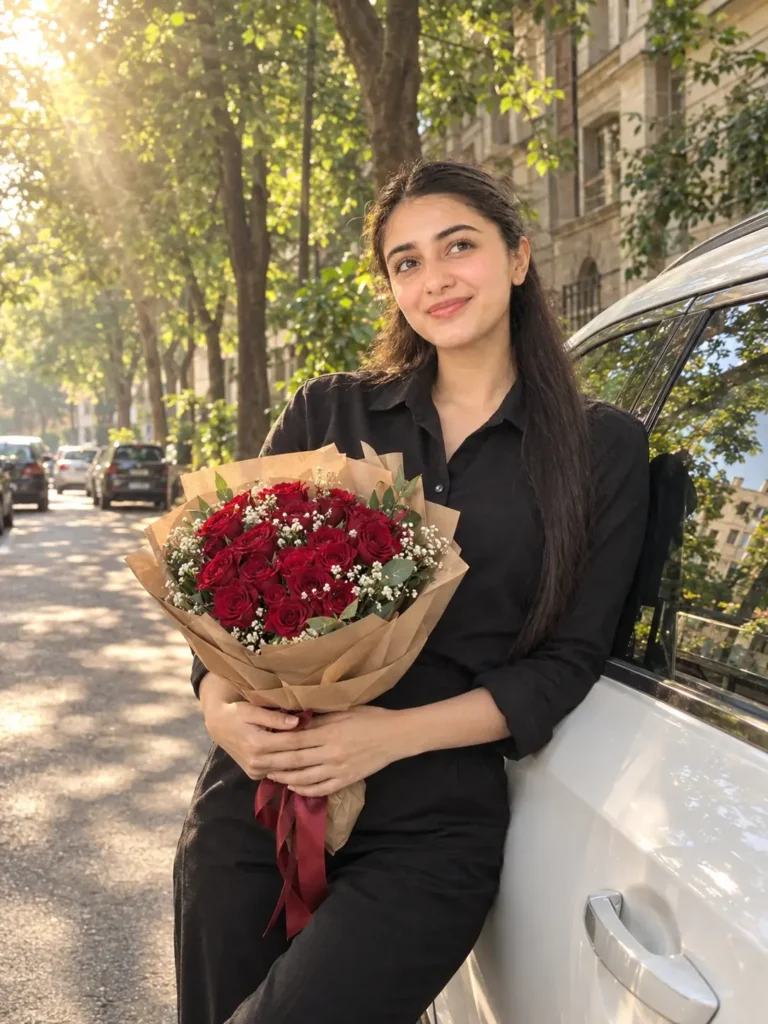
🌹 Romantic Red Roses Car Portrait AI Prompt
2.Neeche diya gaya prompt aap directly copy karke use kar sakte hai:
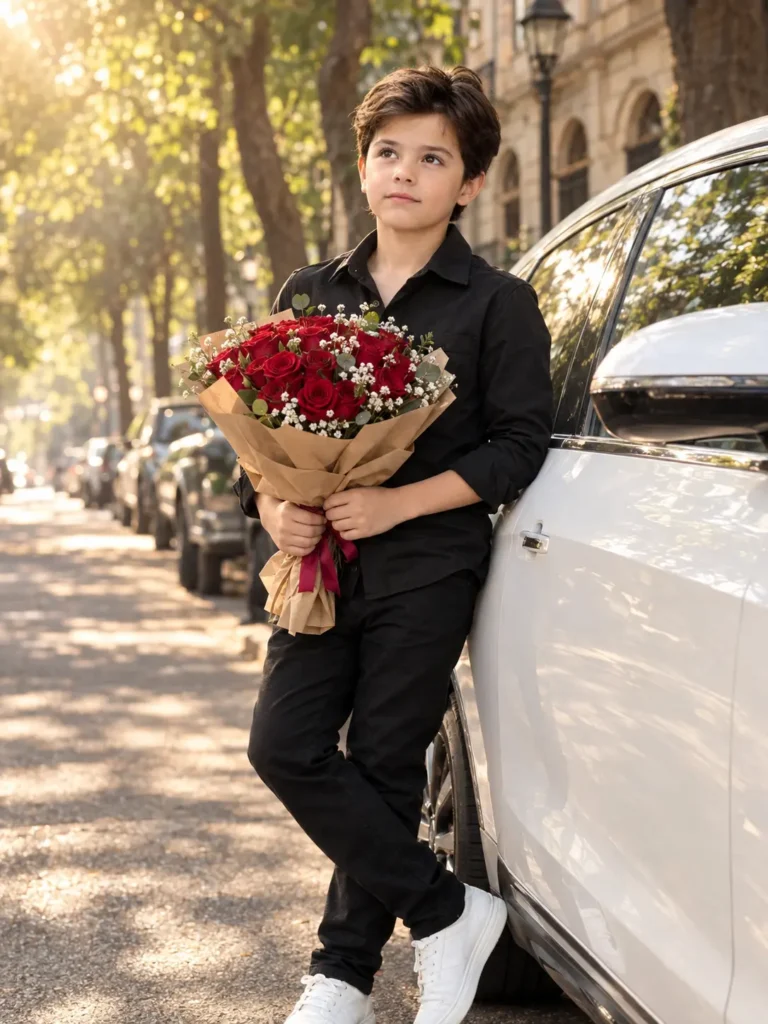
🌹 Romantic Red Roses Car Portrait AI Prompt
Bouquet Ko Realistic Dikhana Kyu Zaroori Hai?
Is photo mein flowers sirf accessory nahi hain. Bouquet foreground ka important visual element hai.
Agar roses ke petals strange shape ke ho jaayen ya bouquet hands mein incorrectly placed ho, to poori photo artificial feel kar sakti hai.
Isi liye prompt mein flowers, leaves, wrapping paper aur hand interaction ko separately describe kiya gaya hai.
White Car Ka Use Is Composition Mein Kya Role Hai?
White car background ka sirf ek object nahi hai. Ye subject ke liye ek clean visual surface bhi provide karti hai.
Black outfit aur white car ke beech natural contrast create hota hai, jabki red roses image mein highlight color ki tarah kaam karte hain.
Aap white car ko black, silver ya dark blue vehicle se bhi replace kar sakte hain.
Golden Sunlight Photo Ko Better Kaise Banati Hai?
Direct harsh sunlight ke comparison mein filtered sunlight softer feel de sakti hai.
Tree leaves ke through aane wali light face aur hair par small highlights create karti hai. Iske saath background mein light aur shadow ka natural pattern bhi aa sakta hai.
Agar AI output mein light bahut artificial lag rahi ho, to prompt mein “soft filtered sunlight” aur “natural shadows” jaise instructions add kar sakte hain.
Kya Face Original Photo Jaisa Rahega?
Prompt mein face, skin tone, hairstyle aur identity preserve karne ki clear instructions di gayi hain.
Lekin AI-generated output mein exact facial match ki guarantee nahi hoti. Result source photo, image-generation model aur prompt interpretation par depend kar sakta hai.
Isliye final image ko publish karne se pehle face ko properly inspect karna important hai.
Is Prompt Ko Apne Style Mein Kaise Customize Karein?
Aap is prompt ko ek fixed template ki tarah use kar sakte hain.
Car ka color change karein, outfit change karein, flowers replace karein ya location ko modify karein. Main identity aur composition ko same rakhkar small changes karne se different creative versions ban sakte hain.
Isse har baar completely new prompt likhne ki zarurat nahi padti.
Kya Sirf Ek Photo Se Ye AI Portrait Ban Sakta Hai?
Haan, ye prompt single uploaded image ko main identity reference ke roop mein use karne ke liye likha gaya hai.
Background, car, bouquet, sunlight aur pose ki details prompt se define ki gayi hain.
Isliye reader apni ek normal image ke saath is concept ko try kar sakta hai.
FAQ:
Romantic Street Rose AI Photo Prompt kya hai?
Ye ek AI Photo Prompt hai jo normal photo ko white car, red rose bouquet aur tree-lined street ke saath cinematic romantic portrait style mein transform karne ke liye use kiya ja sakta hai.
Kya white car ki jagah black car use kar sakte hain?
Haan, prompt mein white car ko black, silver ya kisi aur preferred color ke vehicle se replace kiya ja sakta hai.
Kya background change kiya ja sakta hai?
Haan, tree-lined street ki jagah hotel driveway, city road, cafe lane ya kisi aur suitable outdoor location ka description diya ja sakta hai.
Kya is photo ko social media par use kar sakte hain?
Personal creative use ke liye generated image social media par share ki ja sakti hai, lekin AI tool ki applicable terms aur jis platform par upload kar rahe hain uske rules ko check karna useful hai.
Final Words:
Ek simple street, soft sunlight, white car aur red roses milkar ek aisa portrait create kar sakte hain jo bina heavy editing ke bhi visually attractive lage. AI ki help se isi concept ko apni normal photo ke saath experiment kiya ja sakta hai.
Is Romantic Street Rose AI Photo Prompt mein background, outfit, bouquet, pose aur lighting ko ek saath balance karne ki koshish ki gayi hai, taaki final image sirf background replacement jaisi na lage.
Aap pehle basic prompt se result try karein aur phir apne according car, flowers, outfit ya location mein small changes karein. Sabse important cheez ye hai ki final image ko publish karne se pehle face, hands, bouquet aur overall composition ko properly check zaroor karein.